MagpAI can Analyse your Data your way

Your analysis, your way. 🙌

We’ve been listening — and our Web Portal just got a whole lot more personalised.

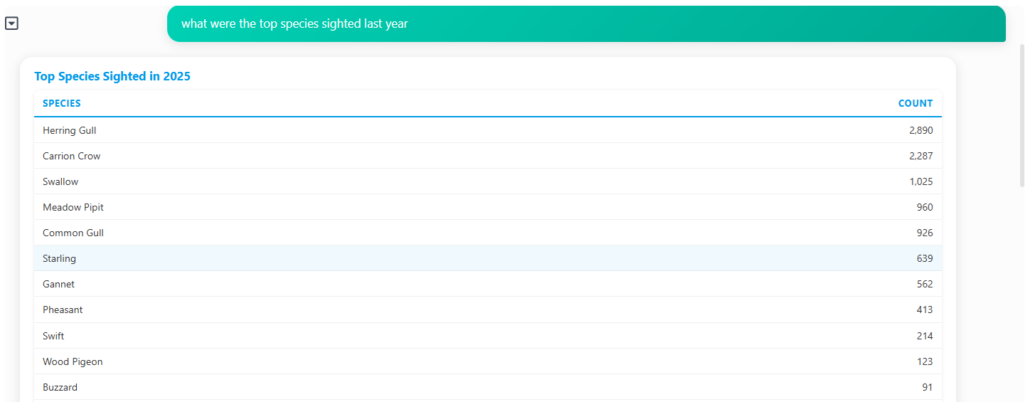
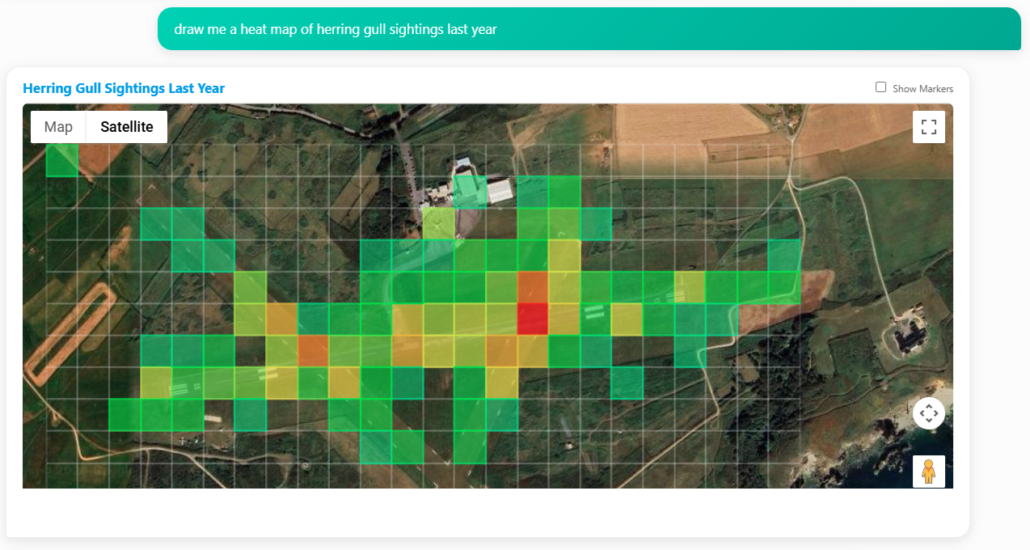
Alongside our comprehensive reports, you can now ask our AI to build exactly the visuals you need:

📊 Charts

🗺️ Maps

📋 Tables

🔥 Heatmaps ← brand new!

Expand and personalise your off-the-shelf reports. Just tell the AI what you want to see, and it’ll build it for you.

Try it out and let us know what you think 👇

Real-time just got real.

We’re excited to unveil Airside Realtime — a brand-new feature that brings your airport’s wildlife logging activity to life on a live map.

Whether it’s up on the ops room wall or running quietly in the background, Airside Realtime gives stakeholders instant visibility as logs are submitted. No refreshes. No delays. Just a dynamic view of what’s happening, where, and when.

It’s one more step toward smarter, safer airfield operations — and we’re thrilled to see it in action.

Expand Your Logging Capabilities with Airside13 ✈️

If you already have an on-airfield logging solution, consider enhancing your setup with Airside13 — our cost-effective option tailored specifically for off-airfield logging.

Already in use by consultants at major airports like Heathrow, Gatwick, London City, Birmingham, and Edinburgh, Airside13 is a powerful add-on to your existing system, delivering comprehensive coverage and enhanced operational efficiency at a fraction of the cost.

Ready to elevate your airfield management? Let’s connect and discuss how Airside13 can benefit your operations.

Logging App gets a Makeover

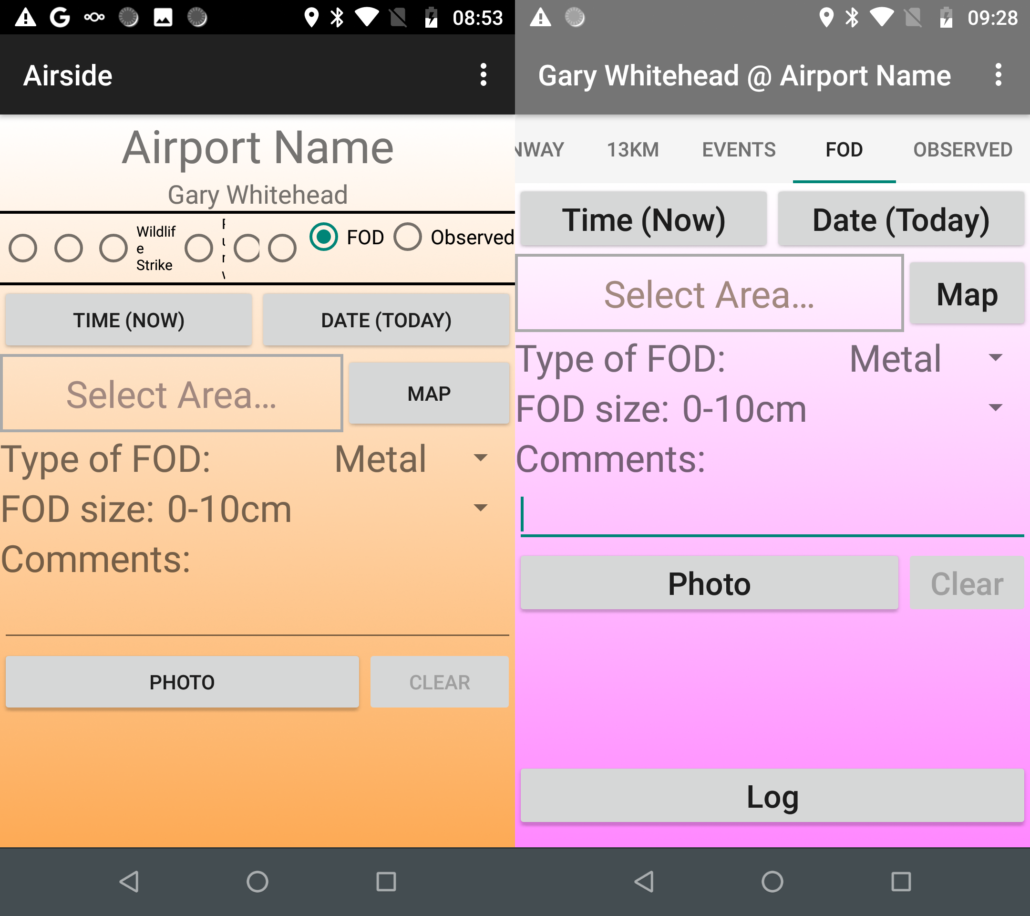
You may not have heard from us for a while as we’ve been busy updating the look and feel on the Android Logging App. Our workhorse App hasn’t changed much since it was launched 8 years ago and as we’ve added features to the system over the years, it’s starting to struggle, especially on smaller devices, so we’ve concentrated on improving the experience on this type of form factor.

You should see near the top of the new App on the right that we have replaced the form buttons with nice scrollable tabs showing the logging form names unobscured. Also, user details are now on the top bar, leaving much more room for the logging forms themselves

Under the covers, we’ve streamlined the code and hopefully fixed a few of the more obscure bugs. You should see it updating on your device in the next few days and we hope you enjoy the new look. As always, comments and suggestions are welcome so we’d love to know when you use it what you think.

The Multimethod update – for when one just isn’t enough

This week sees the release of our Multi Method update. If you’re using the Android App, get the latest version to make sure you already have it. For the web app, its coming shortly.

You can now add more than one method to a single log, useful for those instances where the first thing you tried didn’t quite work. If you’ve sounded a distress call and  you find you need a blank pistol shot to finish the dispersal, you can add both methods to your log where previously you’d have to either miss a method or log multiple actions, maybe splitting the bird count between them.

This new function also allows you to track ammo against each control method. If you check the main report on the portal, you should see our new extended ammo table, splitting out the ammo counts across the columns.

Photo Logging Success

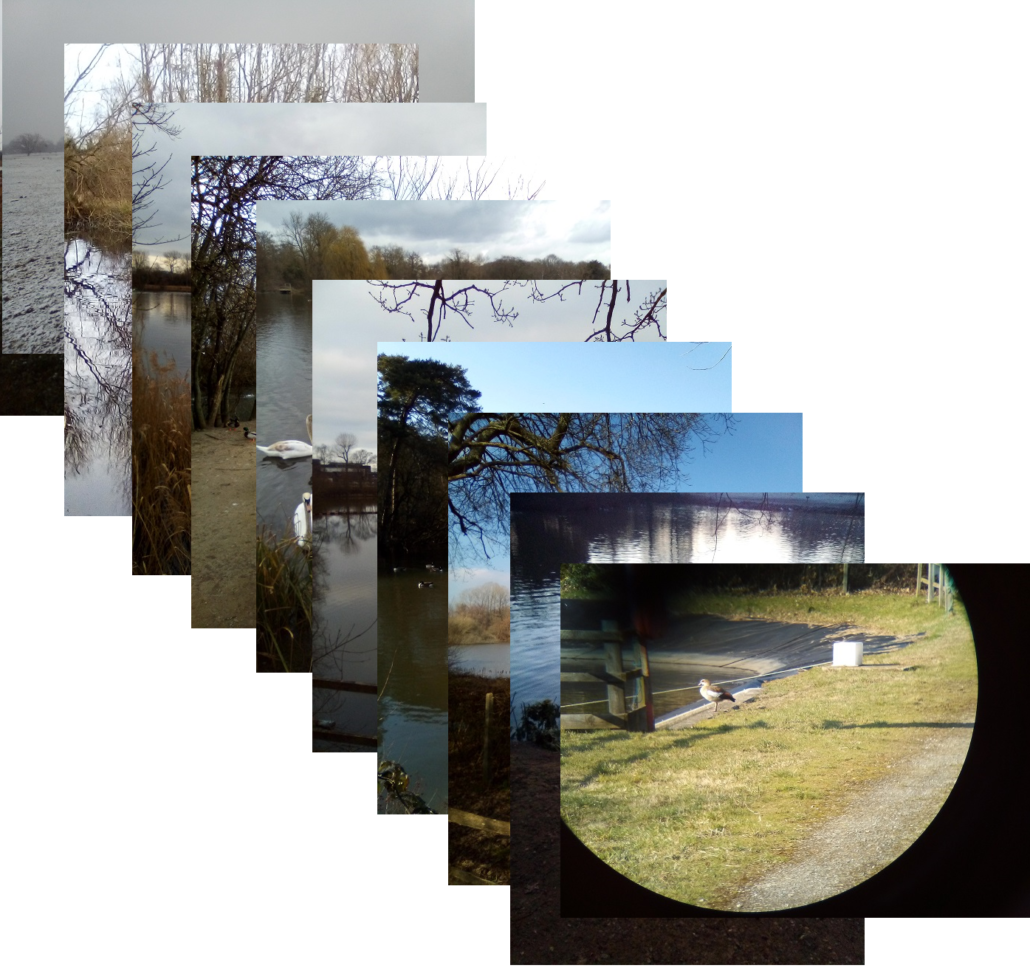
The new photo capture function in our logging Apps is working really well with lots of good captures appearing. There are some lovely snowy ones from last week, although it looks like it was pretty chilly out there. Great job, guys.

Now with Pictures!

We’re pleased to announce that you can now take photos from your logging device and include them in any wildlife log. The latest version of the App has a new photo button so things like visual evidence of wildlife strikes can be attached to logs quickly and easily. This work was a direct result of customer requests and we’re thrilled to be able to add this functionality to the system.

Stay Connected

The days of closed systems are done. Any product that gathers data should be able to communicate that data to anywhere it might be needed, now or in the future, and preferably without any manual intervention. As we move forward, products being able to swap data in this way will be able to contribute to the provision of high level insights across the business. If you’re looking for a new system, or you’re seeing limitations with ones you’re currently using, this is worth consideration.

A1Airside is built from the ground up as a secure connected data system and uses standard data protocols to export collected data. As well as that, our team of data experts are happy to work with you to get your data to wherever you need it, whenever you need it. From a simple data export in a predefined format for direct import into another system to a customised REST/API, A1Airside will always be the best choice for the future.

Custom Form Delivery

One of our customers recently requested a change to how they logged Swans. There were areas of the airfield where Mute and Whooper Swans were occasionally seen but as taking any control action was not permitted, they still wanted to log that the Swans were there. Also and more importantly, they wanted to ensure that was the only logging option so it was clear for the wildlife team.

To this end, we built a new “Observed” form containing just the 3 areas covered and the 2 species. We updated our system so we were able to push it remotely to their logging devices and so they didn’t have to do anything at their end. This worked beautifully and they’ve submitted over 100 observed logs to the system so far since receiving it.

This is such a useful function for us that we’ve now made it a mainstream feature of the system. We’re pleased to announce that the latest version of the Android App adds support for this. As every airport is different, we think this ability is a huge benefit. If you discover you have any custom logging requirements while using the system, just let us know.